
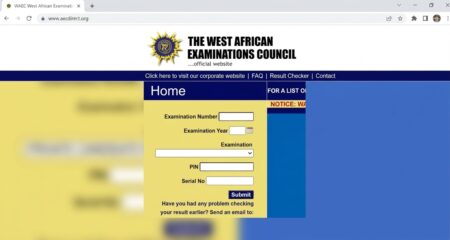
If you sat for the 2026 West African Senior School Certificate Examination (WASSCE) (internal and external examination) then you can check your result as the results are now available for checking via the official portal (www.waecdirect.org) and can be accessed through a number of ways with any convenient device. Read on for WAEC Result Checker 2026: Step by Step Guide.
The WAEC Result Checker 2026: Step by Step Guide is a very simple process for checking the result for the just concluded 2026 West African Senior School Certificate Examination (WASSCE). All you need is the smart identity card used during the exams which contain the result checker pin and serial number.
You have the option of checking the results via the official WAEC Result Checker or through the use of SMS on mobile devices. Whichever option you choose to take, you will need to get WAEC scratch card to get access to the results.
SEE MORE: Research Training Program (RTP) and Equivalent Scholarships 2026 at University of Sydney
WAEC Result Checker 2026 Available Options
Check Results via Portal:
- Login to WAEC Result Checker website via www.waecdirect.org.
- Enter your 10-digit WAEC Examination Number. (This is your 7-Digit centre number followed by your 3-digit candidate number eg. 4123456789). For examination year < 1999, enter your 8-digit WAEC Examination Number. (This is your 5-Digit centre number followed by your 3-digit candidate number eg. 19865001)
- Enter the 4 digits of your Examination Year eg. 2026
- Select the Type of Examination
- Enter the e-PIN Voucher Number
- Enter the Personal Identification Number (PIN) on your e-PIN
- Click Submit and wait for the results window to come up
Check Via Serial Number:
- Firstly, ensure your mobile phone is internet enabled.
- Then you visit www.waecdirect.org
- Enter your 10-digit Examination number,
- Enter Serial Number
- Enter the Examination year
- Click on Check my WAEC Result.
Check Results via SMS:
To use the SMS option, follow the below steps
- Open your SMS app on your phone
- Type WAEC*ExamNo*PIN*ExamYear (do not leave space in between).
- Send to 32327.
- You will receive a message instantly containing your WAEC statement of result.
Note: Kindly be aware that the SMS option of checking WAEC results is available to MTN, Glo & Airtel Subscribers only. If you did not receive your WAEC result via SMS, repeat this step again. Charges may also apply.
For a printable result page, the first two options are recommended. However, if you just want to get a quick access to your result to know your performance, the SMS option will be very handy.
For More Information: Visit the WAEC Website.


